
Changelog
New updates and improvements at Cloudflare.

The Images binding is now billed per unique transformation, matching the model already used for URL-based transformations. Repeat requests for the same combination of source image and parameters within the same calendar month are counted only once.
Previously, every call to the binding counted as a separate transformation regardless of whether the image or parameters were unique. With this change, you can call the binding on hot paths without paying for each individual request.
Calls to
.info()are no longer billed.For more information, refer to Images pricing and the Images binding documentation.
These updates introduce new features for optimizing and manipulating with Images:
- New
compositeoption: Control how overlays are blended with the base image. - Percentage widths: Set the dimensions of an overlay as a fraction of the dimensions of the base image.
- New
fitmodes: Useaspect-cropto always preserve the target aspect ratio orscale-upto always enlarge images. - New
upscaleparameter: Apply AI upscaling to produce sharper, more detailed results when enlarging images.
- New
Use the Images binding to upload, list, retrieve, update, and delete images stored in Images directly from your Worker without managing API tokens or making HTTP requests.
The
env.IMAGES.hostednamespace supports the following storage and management operations:.upload(image, options)— Upload a new image to your account..list(options)— List images with pagination..image(imageId).details()— Get image metadata..image(imageId).bytes()— Stream the original image bytes..image(imageId).update(options)— Update metadata or access controls..image(imageId).delete()— Delete an image.
For example, you can upload an image from a request body and return its metadata:
TypeScript const image = await env.IMAGES.hosted.upload(request.body, {filename: "upload.jpg",metadata: { source: "worker" },});return Response.json(image);Or retrieve and serve the original bytes of a hosted image:
TypeScript const bytes = await env.IMAGES.hosted.image("IMAGE_ID").bytes();return new Response(bytes);For more information, refer to the Images binding.
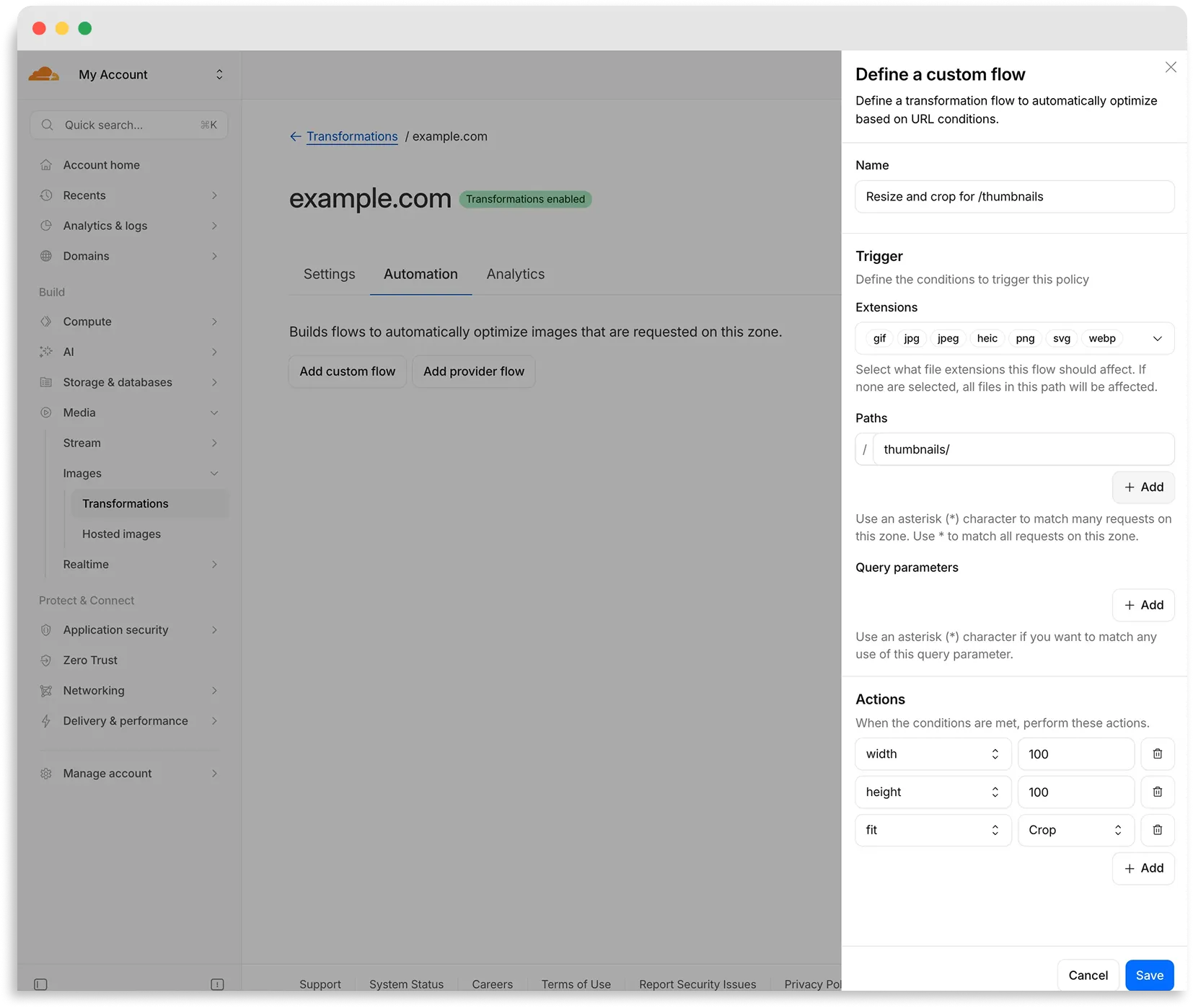
Flows are automated rules that pair conditions (such as file extension, URL path, or query parameter) with parameters. Set up a flow to automatically apply image optimization to matching requests on your zone without writing code or changing URLs.
There are two modes for transformation flows:
- Provider flows — Migrate from another image optimization service. Your existing URLs continue to work while Cloudflare rewrites provider-specific parameters to their Cloudflare equivalents. Currently, Cloudflare supports provider flows for Fastly Image Optimizer.
- Custom flows — Define your own conditions and actions for use cases like automatic format conversion, responsive sizing with
width=auto, or directory-based optimization.
To get started, go to Images > Transformations > Automation in the Cloudflare dashboard ↗.
Learn more about transformation flows.
You can use Images to ingest HEIC images and serve them in supported output formats like AVIF, WebP, JPEG, and PNG.
When inputting a HEIC image, dimension and sizing limits may still apply. Refer to our documentation to see limits for uploading to Images or transforming a remote image.
You can now interact with the Images API directly in your Worker.
This allows more fine-grained control over transformation request flows and cache behavior. For example, you can resize, manipulate, and overlay images without requiring them to be accessible through a URL.
The Images binding can be configured in the Cloudflare dashboard for your Worker or in the Wrangler configuration file in your project's directory:
JSONC {"images": {"binding": "IMAGES", // i.e. available in your Worker on env.IMAGES},}TOML [images]binding = "IMAGES"Within your Worker code, you can interact with this binding by using
env.IMAGES.Here's how you can rotate, resize, and blur an image, then output the image as AVIF:
TypeScript const info = await env.IMAGES.info(stream);// stream contains a valid image, and width/height is available on the info objectconst response = (await env.IMAGES.input(stream).transform({ rotate: 90 }).transform({ width: 128 }).transform({ blur: 20 }).output({ format: "image/avif" })).response();return response;For more information, refer to Images Bindings.