

Hyperdrive now pools database connections in one or more regions close to your database. This means that your uncached queries and new database connections have up to 90% less latency as measured from connection pools.
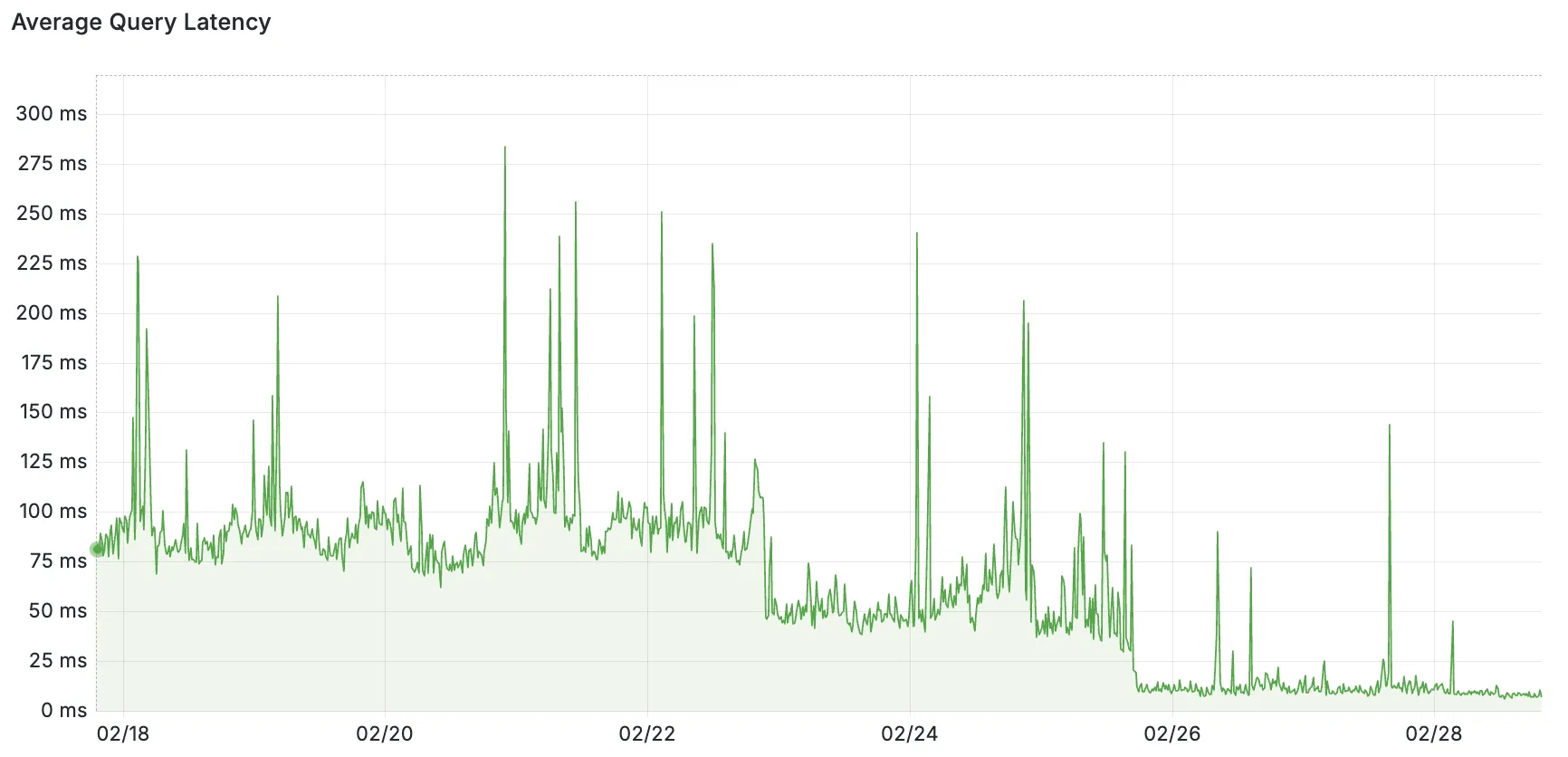
By improving placement of Hyperdrive database connection pools, Workers' Smart Placement is now more effective when used with Hyperdrive, ensuring that your Worker can be placed as close to your database as possible.
With this update, Hyperdrive also uses Cloudflare's standard IP address ranges ↗ to connect to your database. This enables you to configure the firewall policies (IP access control lists) of your database to only allow access from Cloudflare and Hyperdrive.
Refer to documentation on how Hyperdrive makes connecting to regional databases from Cloudflare Workers fast.
This improvement is enabled on all Hyperdrive configurations.
You can now use bucket locks to set retention policies on your R2 buckets (or specific prefixes within your buckets) for a specified period — or indefinitely. This can help ensure compliance by protecting important data from accidental or malicious deletion.
Locks give you a few ways to ensure your objects are retained (not deleted or overwritten). You can:
- Lock objects for a specific duration, for example 90 days.
- Lock objects until a certain date, for example January 1, 2030.
- Lock objects indefinitely, until the lock is explicitly removed.
Buckets can have up to 1,000 bucket lock rules. Each rule specifies which objects it covers (via prefix) and how long those objects must remain retained.
Here are a couple of examples showing how you can configure bucket lock rules using Wrangler:
Terminal window npx wrangler r2 bucket lock add <bucket> --name 180-days-all --retention-days 180Terminal window npx wrangler r2 bucket lock add <bucket> --name indefinite-logs --prefix logs/ --retention-indefiniteFor more information on bucket locks and how to set retention policies for objects in your R2 buckets, refer to our documentation.
Super Slurper can now migrate data from any S3-compatible object storage provider to Cloudflare R2. This includes transfers from services like MinIO, Wasabi, Backblaze B2, and DigitalOcean Spaces.
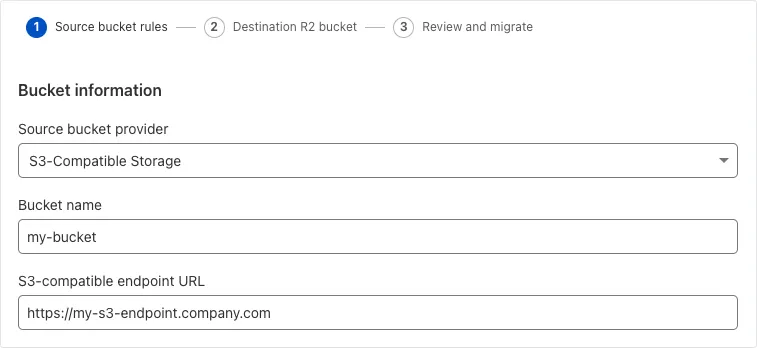
For more information on Super Slurper and how to migrate data from your existing S3-compatible storage buckets to R2, refer to our documentation.
You can now customize a queue's message retention period, from a minimum of 60 seconds to a maximum of 14 days. Previously, it was fixed to the default of 4 days.
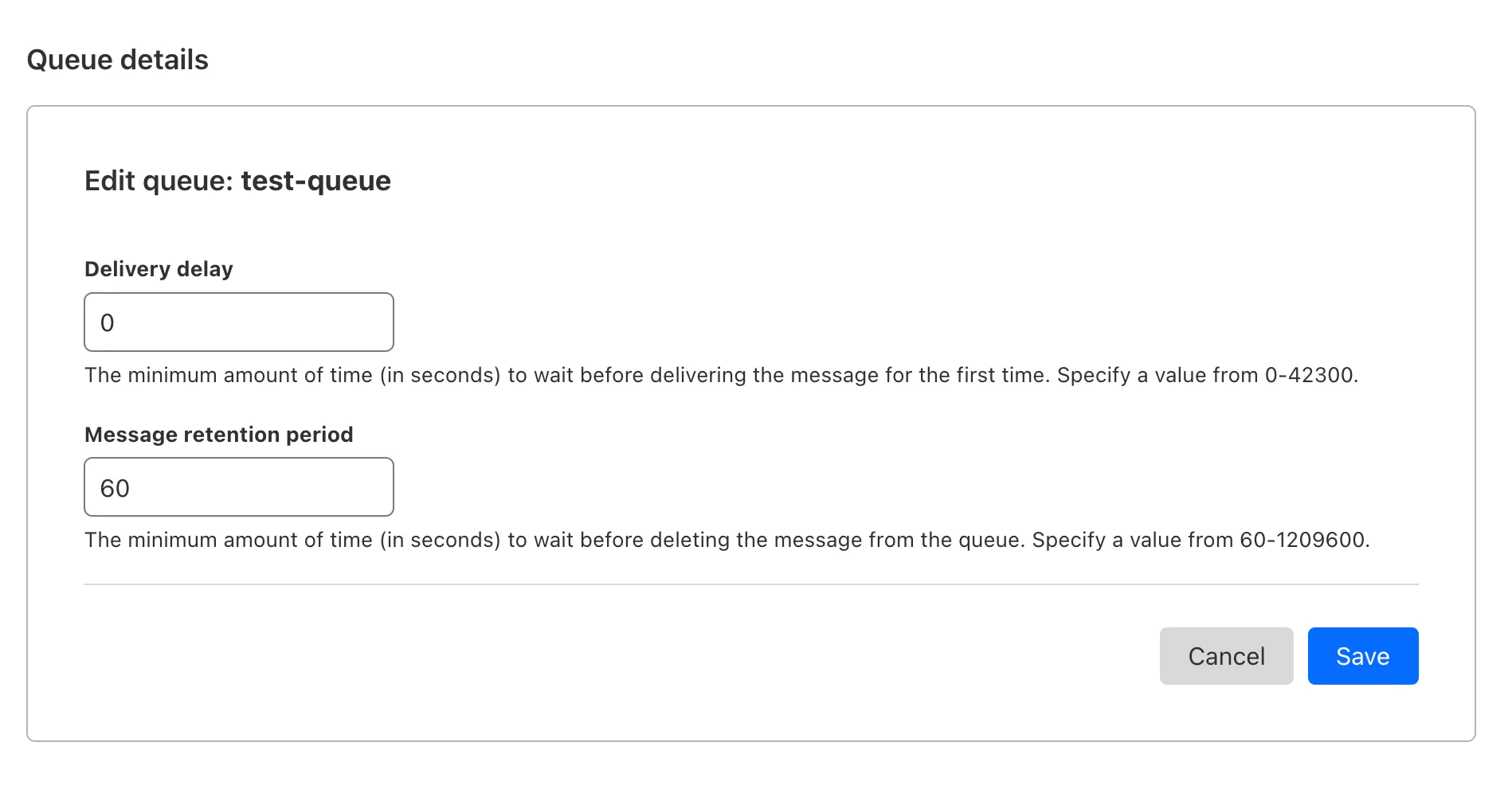
You can customize the retention period on the settings page for your queue, or using Wrangler:
Update message retention period $ wrangler queues update my-queue --message-retention-period-secs 600This feature is available on all new and existing queues. If you haven't used Cloudflare Queues before, get started with the Cloudflare Queues guide.
Super Slurper now transfers data from cloud object storage providers like AWS S3 and Google Cloud Storage to Cloudflare R2 up to 5x faster than it did before.
We moved from a centralized service to a distributed system built on the Cloudflare Developer Platform — using Cloudflare Workers, Durable Objects, and Queues — to both improve performance and increase system concurrency capabilities (and we'll share more details about how we did it soon!)
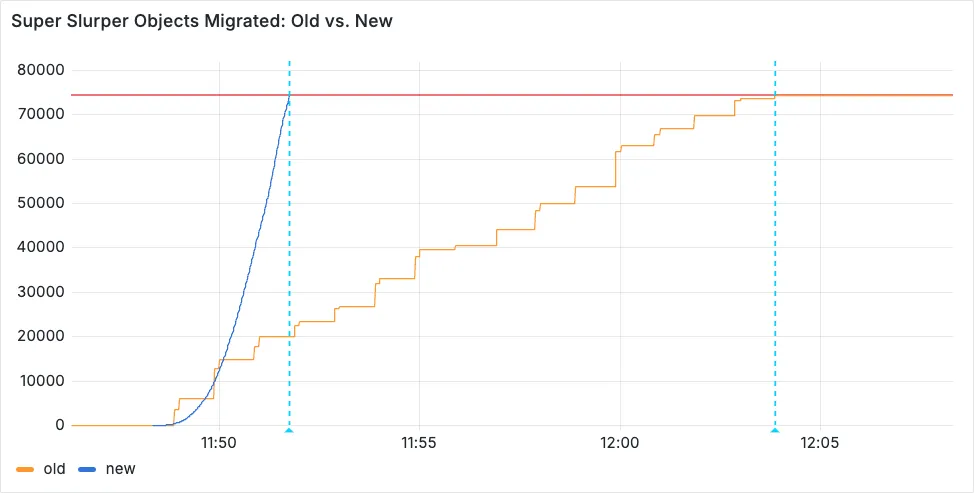
Time to copy 75,000 objects from AWS S3 to R2 decreased from 15 minutes 30 seconds (old) to 3 minutes 25 seconds (after performance improvements)
For more information on Super Slurper and how to migrate data from existing object storage to R2, refer to our documentation.
Hyperdrive now automatically configures your Cloudflare Tunnel to connect to your private database.
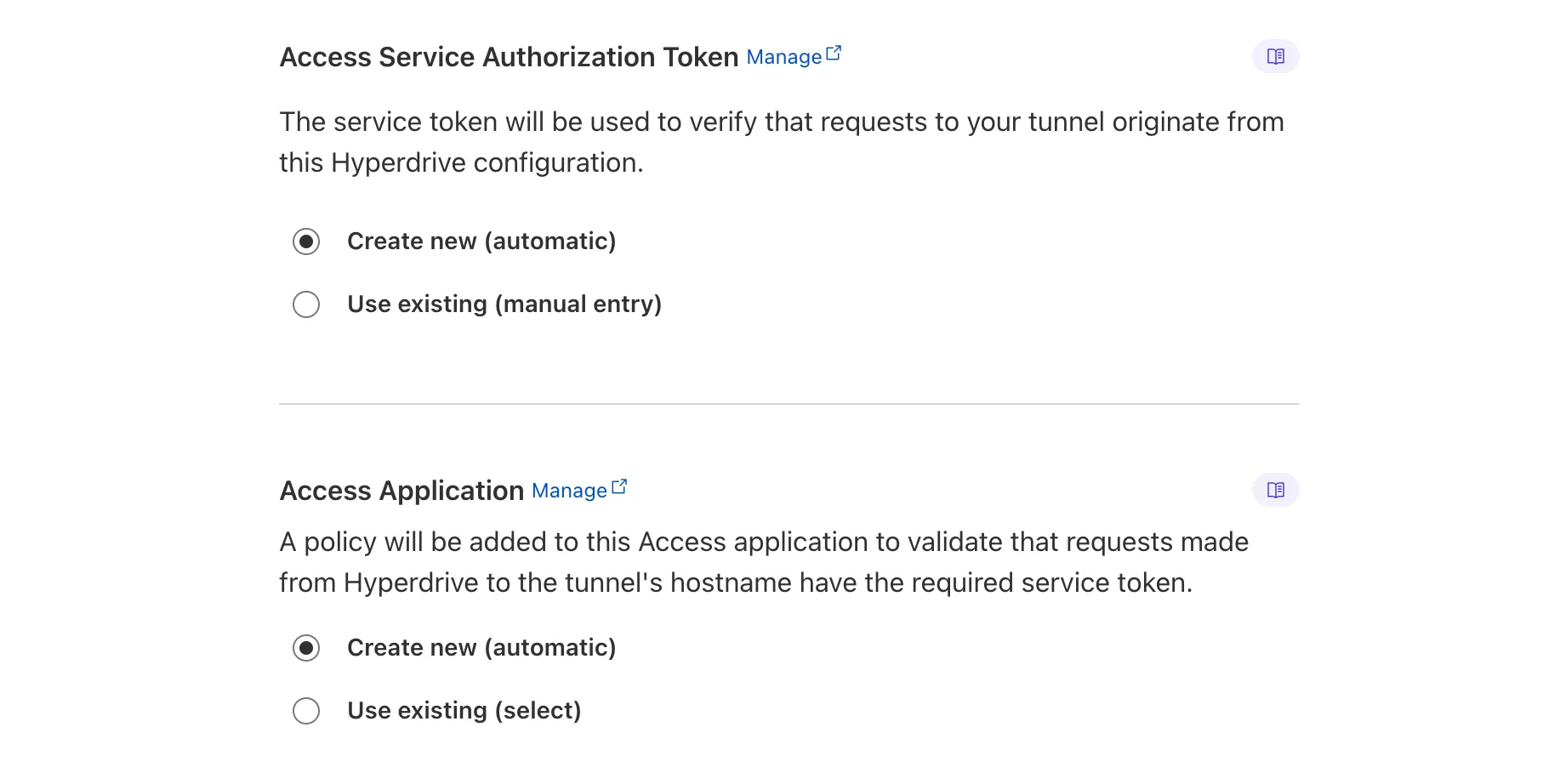
When creating a Hyperdrive configuration for a private database, you only need to provide your database credentials and set up a Cloudflare Tunnel within the private network where your database is accessible. Hyperdrive will automatically create the Cloudflare Access, Service Token, and Policies needed to secure and restrict your Cloudflare Tunnel to the Hyperdrive configuration.
To create a Hyperdrive for a private database, you can follow the Hyperdrive documentation. You can still manually create the Cloudflare Access, Service Token, and Policies if you prefer.
This feature is available from the Cloudflare dashboard.
You can now have up to 1000 Workers KV namespaces per account.
Workers KV namespace limits were increased from 200 to 1000 for all accounts. Higher limits for Workers KV namespaces enable better organization of key-value data, such as by category, tenant, or environment.
Consult the Workers KV limits documentation for the rest of the limits. This increased limit is available for both the Free and Paid Workers plans.
Users making D1 requests via the Workers API can see up to a 60% end-to-end latency improvement due to the removal of redundant network round trips needed for each request to a D1 database.
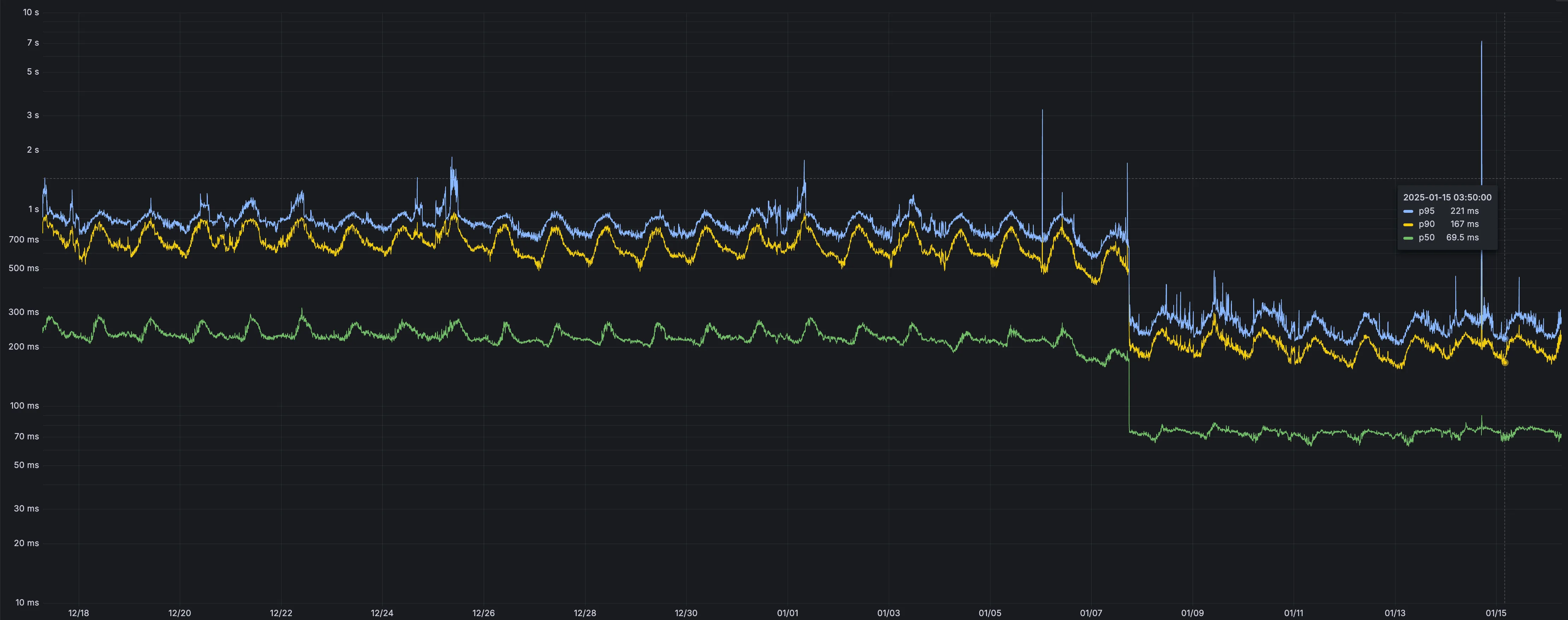
p50, p90, and p95 request latency aggregated across entire D1 service. These latencies are a reference point and should not be viewed as your exact workload improvement.
This performance improvement benefits all D1 Worker API traffic, especially cross-region requests where network latency is an outsized latency factor. For example, a user in Europe talking to a database in North America. D1 location hints can be used to influence the geographic location of a database.
For more details on how D1 removed redundant round trips, see the D1 specific release note entry.
Hyperdrive now caches queries in all Cloudflare locations, decreasing cache hit latency by up to 90%.
When you make a query to your database and Hyperdrive has cached the query results, Hyperdrive will now return the results from the nearest cache. By caching data closer to your users, the latency for cache hits reduces by up to 90%.
This reduction in cache hit latency is reflected in a reduction of the session duration for all queries (cached and uncached) from Cloudflare Workers to Hyperdrive, as illustrated below.
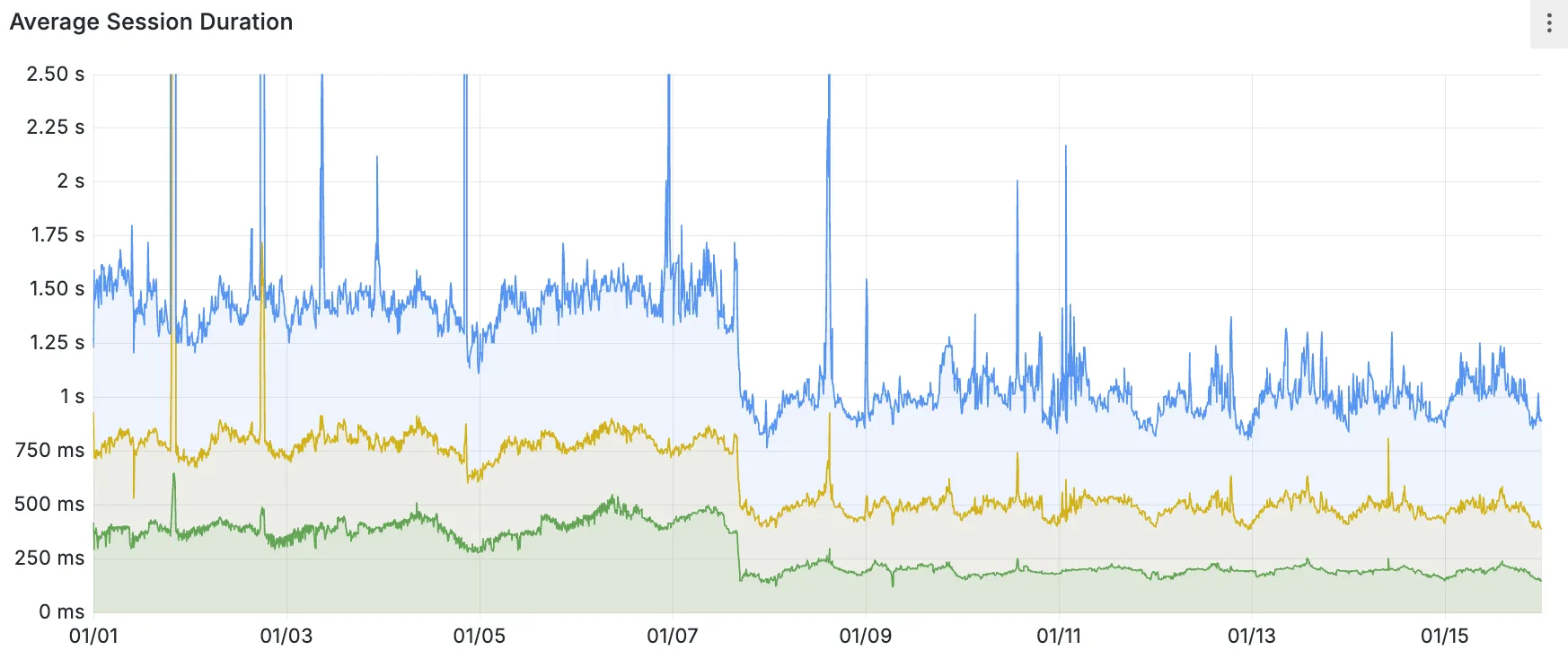
P50, P75, and P90 Hyperdrive session latency for all client connection sessions (both cached and uncached queries) for Hyperdrive configurations with caching enabled during the rollout period.
This performance improvement is applied to all new and existing Hyperdrive configurations that have caching enabled.
For more details on how Hyperdrive performs query caching, refer to the Hyperdrive documentation.